
Build a new app in Studio
Pick a template, design screens for the remote, connect your content, and get apps for Samsung, LG, Android TV, Fire TV, Roku and Apple TV, ready for each store.
How Studio worksDesign a TV app in Studio, publish it to Samsung, LG, Android TV, Fire TV, Roku and Apple TV, then keep running it from one console. Already have apps? Connect them with our SDKs and change content, config and backends without shipping a new build.
Made in Studio
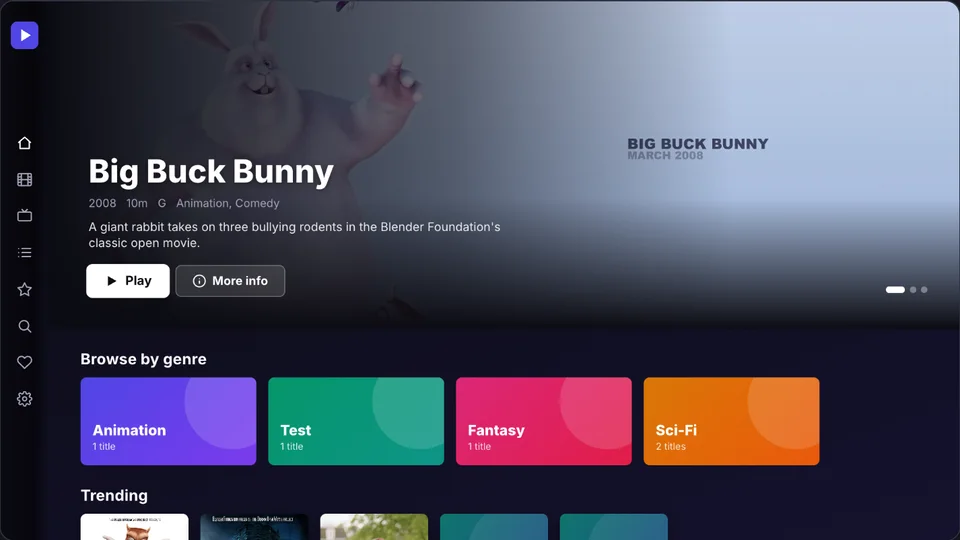
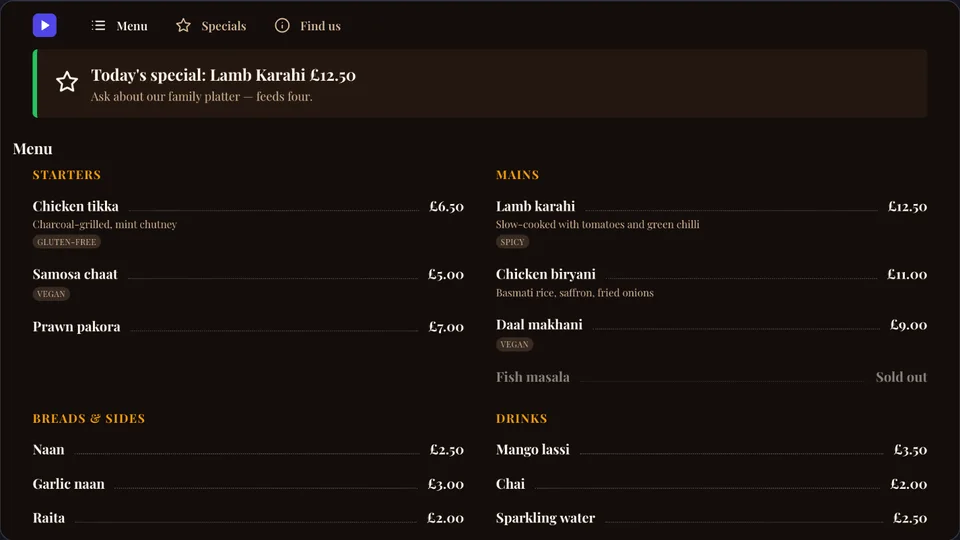
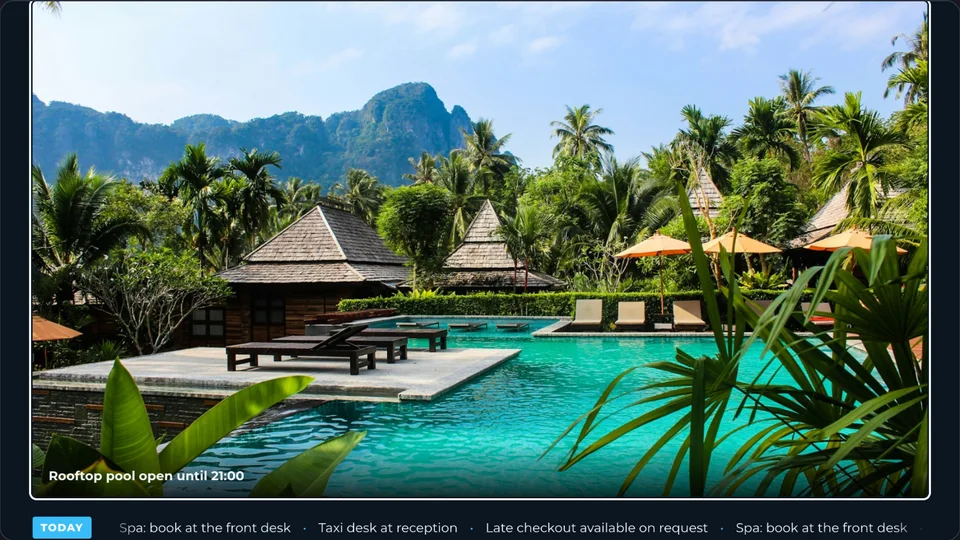
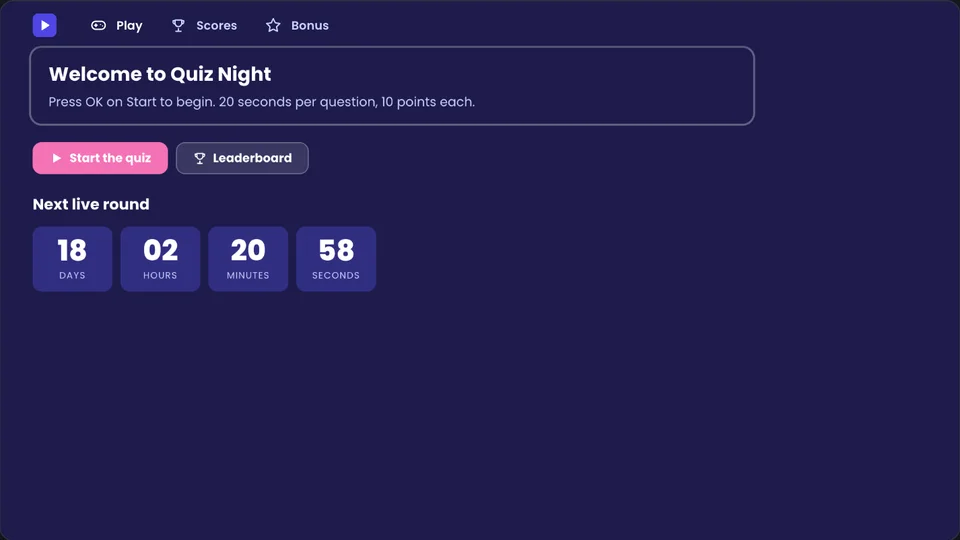
Real apps built from Tellyport templates, shown as they run on a TV.
Product tour
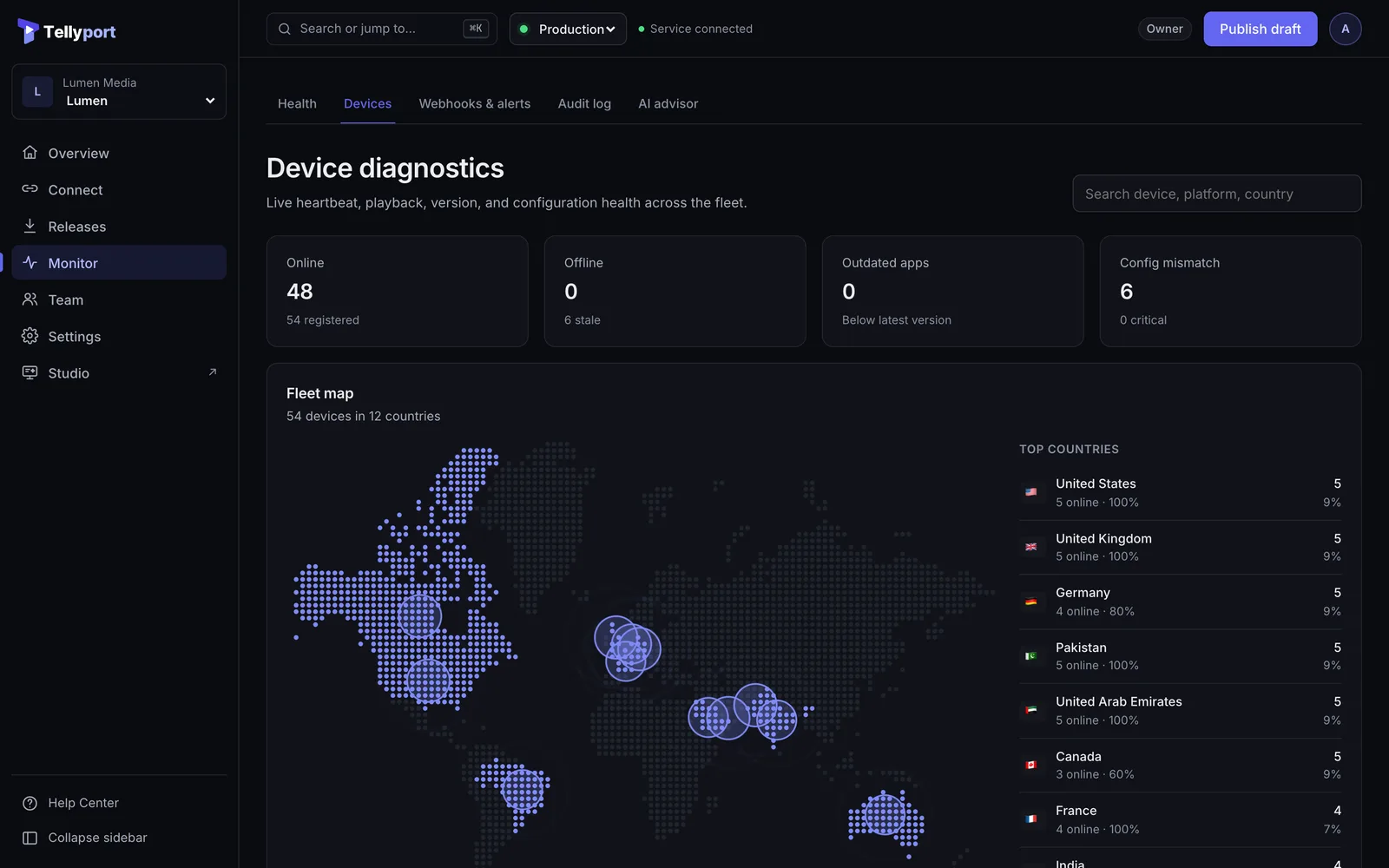
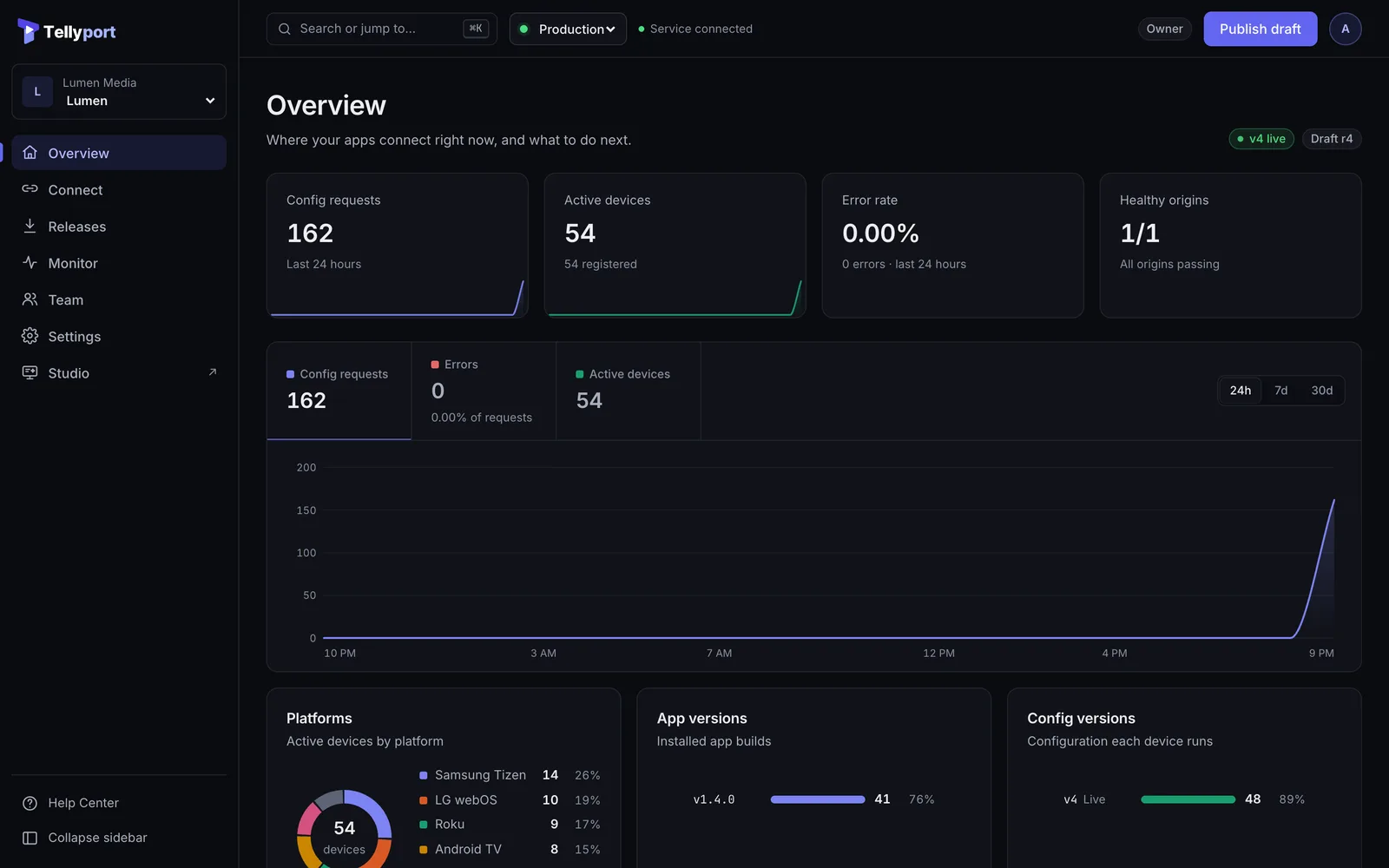
Real screens from the Tellyport console, with a demo streaming app on 54 TVs.
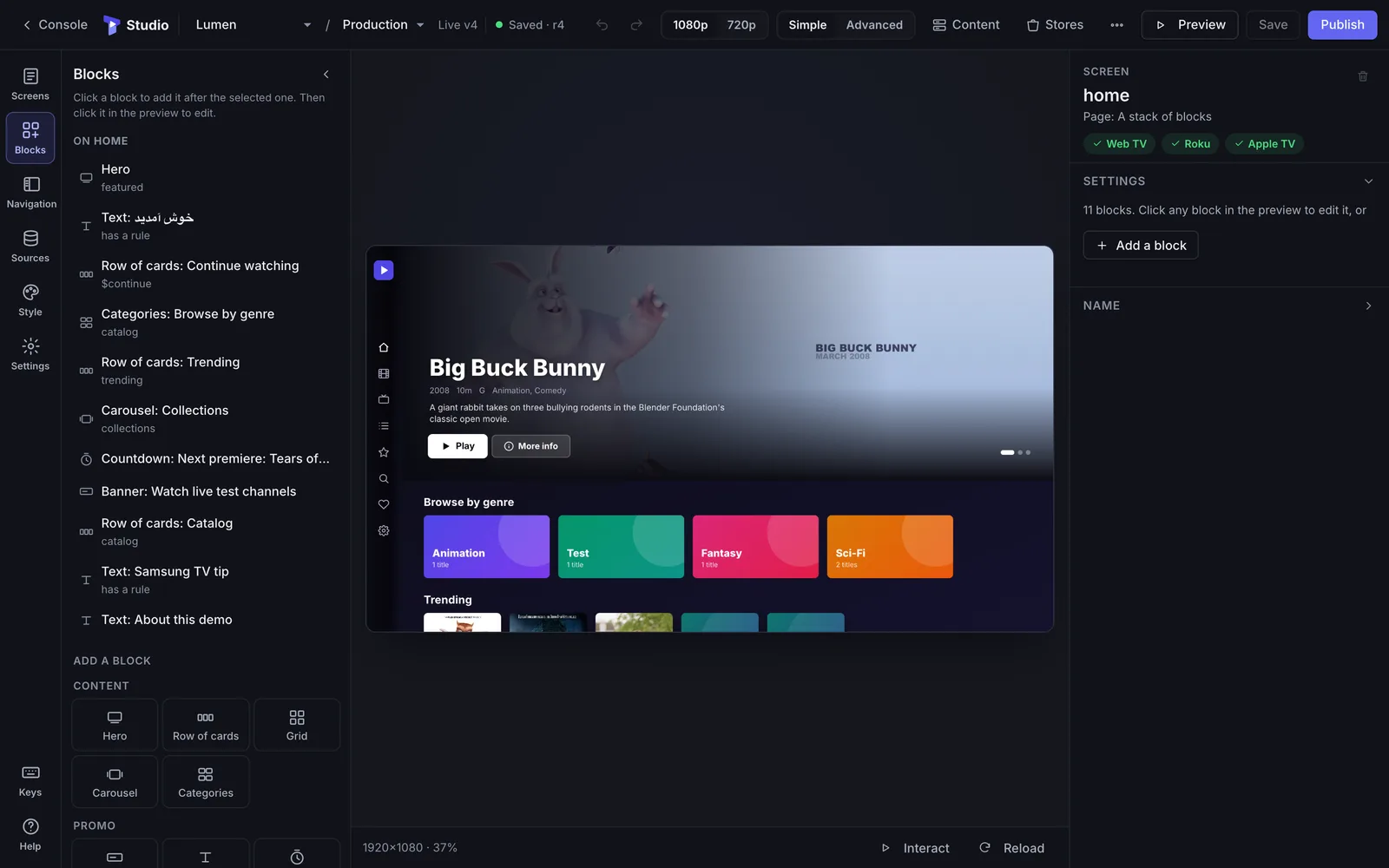
The preview in the middle is the real app at 1080p. Click any block to edit it, and see which platforms support it.
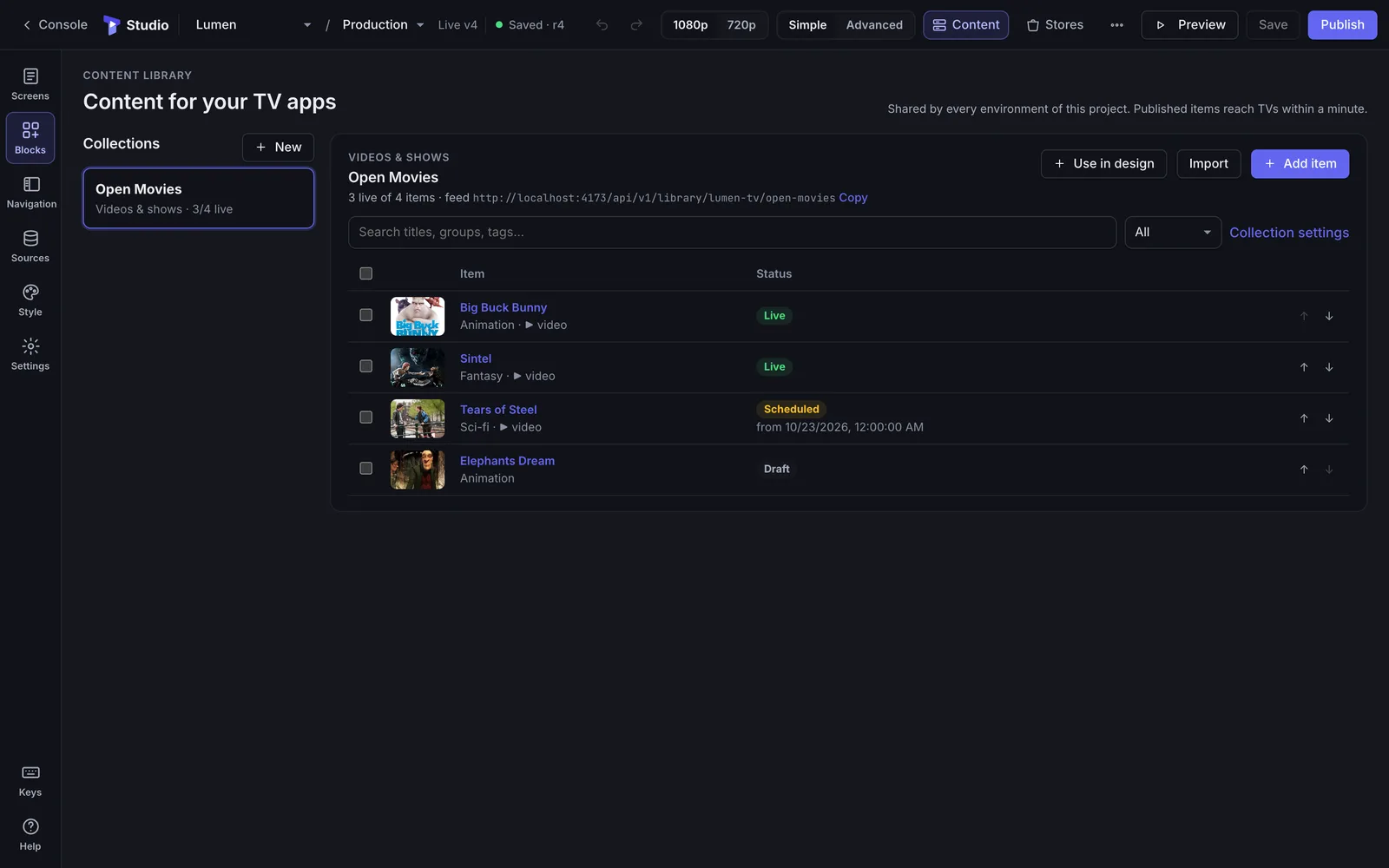
Collections of movies, channels, products or menu items, each with images, streams and a publish window.
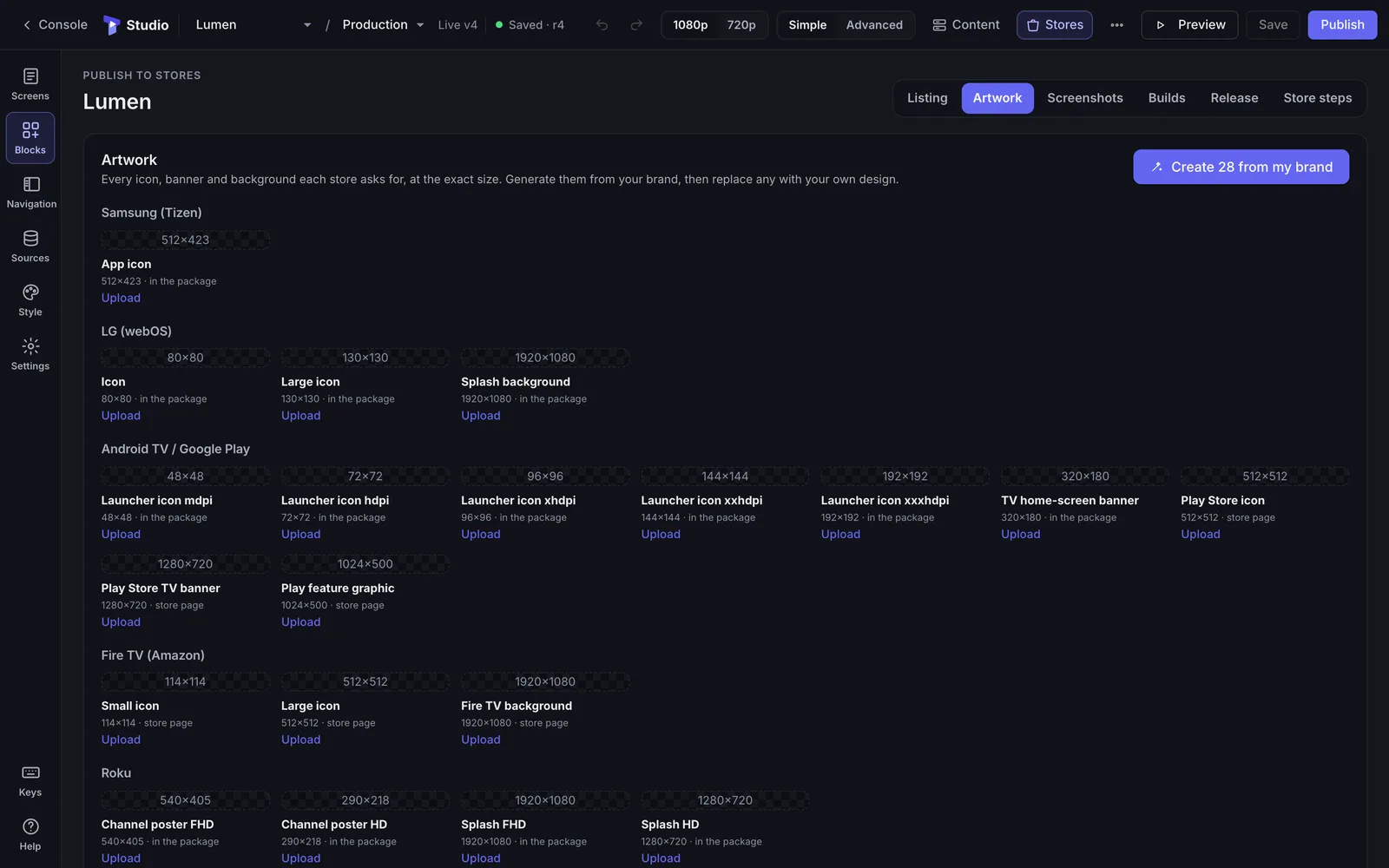
Tellyport knows what each store asks for and makes it from your brand, then builds the packages and walks you through submission.
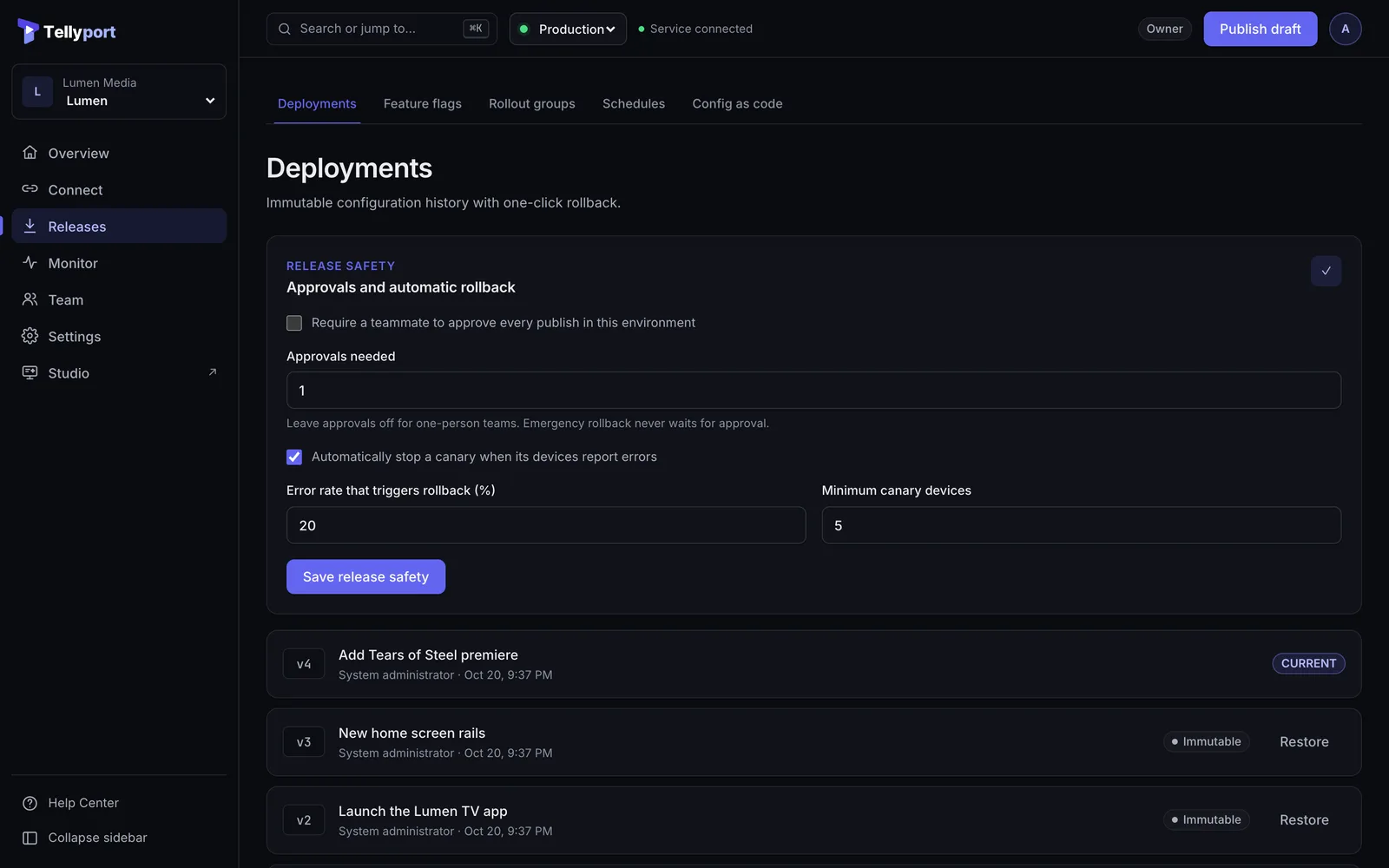
Every publish is a signed version. Canary it to a few TVs first; roll back in one click if anything looks wrong.
Live heartbeats from each TV: platform, app and config version, country, and whether it is online.
Requests, errors and active devices over time, with the split by platform, app version and config version.
Two ways to start
Pick a template, design screens for the remote, connect your content, and get apps for Samsung, LG, Android TV, Fire TV, Roku and Apple TV, ready for each store.
How Studio worksAdd the SDK for Roku, Android TV, Fire TV, Tizen, webOS, Apple TV, iOS, Android, Flutter or web. Then change backends, flags and config remotely, release with canaries, and watch your device fleet.
What the SDKs unlockEverything included
From the first screen design to the millionth device check-in. See every feature.
How it works
Most TV apps need a different team for every platform and a new build for every change. Tellyport replaces both.
Start from a template, design screens with the remote in mind, and preview on a real TV while you work.
Template · Streaming · 6 screens
Get store-ready packages, icons, screenshots and listing text, then submit to Google Play, Amazon and App Store Connect from Tellyport.
Play · Amazon · Apple · Samsung · LG · Roku
Update content, layout, flags and backend addresses from the console. Signed, canaried, and live on every TV in minutes.
v52 · signed · canary 10% → 100%
Studio
Every screen is designed for ten feet away and a D-pad: focus states, rails, safe areas and big type are built in, so the app feels native on every TV.
Rails, EPG, live channels, details pages and a full player.
Looping scenes, tickers, clocks and weather for lobbies and stores.
Price lists, schedules and contact screens from a Google Sheet.
Quiz, poll, spin wheel and leaderboards, played with the remote.
Bright, rounded and simple, with storytime and safe navigation.
Start from a ready app and make it yours in an afternoon.
Content library
A built-in CMS for every app you make. Add a film, fix a title or schedule tonight's premiere, and every TV picks it up on its own, on every platform.
Publish
Tellyport builds the package for each store, makes the icons and screenshots each store asks for, and walks you through every submission. Where a store has an API, Tellyport submits for you.
Android TV and Google TV. App bundle uploaded to the track you choose.
Fire TV. APK uploaded and sent for review.
Apple TV. Listing, screenshots and review details sent for you.
Tizen package ready to upload, with every step explained.
webOS package and assets, with the review checklist.
Channel package and artwork, plus how to sign it on your Roku.
Control plane
Store reviews, TV certification queues and viewers who never update. Every Studio app gets the Tellyport control plane built in, and apps you already have can use it through our SDKs.
Move every installed app to a new API host, region, or vendor from the console. Gateway routes keep the same paths while the origin behind them changes.
Import an OpenAPI spec and get working mock routes in seconds, built from your examples and schemas. Your app ships before the backend exists, then you flip each route to proxy.
Every published config is signed, and the SDKs verify it before trusting anything. On TVs without Ed25519 support (Roku, older Tizen and webOS), the SDKs only accept config over pinned or validated HTTPS.
SDKs fall back to the last verified config, then to the defaults bundled in your app. An edge layer serves the last good signed response if the origin is unreachable.
Request logs, app state, and a screenshot from a specific device. It answers on its next heartbeat, so support can see what the customer sees.
Send a change to 5% of devices first. Tellyport compares canary and stable device telemetry and stops the canary on its own when errors climb, then alerts you in Slack or PagerDuty.
Before you publish, see what changes, which hosts are unreachable, and how many devices a raised minimum version would force to update.
Active devices, requests, error rate, and p95 latency over time, broken down by country, platform, app version, and config version.
Pull the environment into Git, review changes as diffs in pull requests, and push or publish from the CLI or a GitHub Actions workflow with a scoped service token. Approvals and canaries still apply.
Security & governance
Changing what millions of screens do should be deliberate, reviewed, and traceable. Tellyport is built that way by default.
Developers
Every SDK fetches signed config, caches the last good copy, retries with backoff, and reports device health. The CLI and GitHub Actions put config in code review.
const mesh = new OriginMeshClient({
  origin: "https://mesh.example.com",
  project: "tv-app", environment: "production",
  clientKey: "om_pk_...", bundledConfig,
});
const config = await mesh.getConfig();
api.setBaseUrl(config.config.api_base_url);
// verified, cached, falls back to last-known-good
let client = try OriginMeshClient(
origin: URL(string: "https://mesh.example.com")!,
project: "tv-app", clientKey: "om_pk_...",
bundledConfig: bundled)
let result = try await client.getConfig()
let api = result.payload.endpoint("api_base_url")
// .remote / .cache / .lastKnownGood / .bundledval client = OriginMeshClient(
origin = "https://mesh.example.com",
project = "tv-app", clientKey = "om_pk_...",
bundledConfig = bundled, storage = prefsStorage,
)
val result = client.getConfig()
val api = result.payload.endpoint("api_base_url")# config as code: pull, review, push, publish
node originmesh.mjs pull -p tv-app # → originmesh.json
node originmesh.mjs diff
node originmesh.mjs push -m "Move API to eu2"
node originmesh.mjs publish --rollout 10 \
--reason "Move API to the eu2 cluster"on:
push: { branches: [main], paths: [originmesh.json] }
jobs:
originmesh:
runs-on: ubuntu-latest
env:
ORIGINMESH_TOKEN: ${{ secrets.ORIGINMESH_TOKEN }}
steps:
- uses: actions/checkout@v4
- run: node tools/originmesh.mjs push --file originmesh.json
- run: node tools/originmesh.mjs publish --reason "$GITHUB_SHA"Pricing
Every feature on every plan. Plans differ by apps and active devices, never by seats.
For trying Tellyport and side projects.
$0forever
One TV app going live.
$49per month
Several apps and a real audience.
$299per month
Build and run apps for your clients.
$999per month
Large fleets, SSO and a contract. Custom limits, single sign-on, an approvals policy, a dedicated data plane and an SLA.
Paid plans never block new devices: extra active devices cost $8 per 1,000 a month.
Compare
If you only need feature flags in a mobile app, Firebase Remote Config is free and excellent, and dedicated flag platforms are great at experimentation. Tellyport is for teams that also need to control where apps connect, across TV platforms, and to operate the device fleet.
| Capability | Tellyport | Firebase Remote Config | Feature-flag tools |
|---|---|---|---|
| Price to start | Free plan, then from $49/mo | Free | Varies by vendor |
| Mobile & web SDKs | iOS, Android, Flutter, web | iOS, Android, Flutter, web, Unity, C++ | Broad SDK coverage |
| TV platforms | Roku, Android TV, Fire TV, Tizen, webOS, Apple TV | Android TV and tvOS through the mobile SDKs; no Roku SDK | Varies; some offer Roku or TV SDKs |
| Feature flags & targeting | By platform, version, channel, country | Rich conditions, plus A/B Testing | Advanced targeting & experimentation |
| Backend endpoint routing & failover | Built in, with gateway routes | Store URLs as parameters yourself | Store URLs as flag values yourself |
| Mock backend (OpenAPI import) | Built in | Not offered | Not typically offered |
| Signature verified on device | Ed25519, verified by the SDKs (pinned HTTPS on Roku) | Relies on HTTPS | Varies |
| Gradual rollout | Canary with automatic rollback from device telemetry | Percentage rollouts, monitored with Crashlytics | Percentage rollouts; some offer guarded releases |
| Device fleet operations | Device list, remote diagnostics, fleet map | Separate Firebase products | Not the focus |
Comparison reflects publicly documented capabilities as we understand them; check each vendor's docs for current details. Product names belong to their owners.
No. Studio builds the app from a template and your content. Developers can still go further with custom blocks, their own feeds, and the SDKs and API.
Tellyport submits to Google Play, the Amazon Appstore and App Store Connect through their APIs. For Samsung, LG and Roku, whose stores have no public upload API, you get the finished package and a step-by-step guide. You need your own developer account on each store.
No. Content, layout, flags and backend addresses change from the console and reach installed apps directly. You only resubmit when the app itself needs new native capabilities.
Your apps keep running. An edge layer serves the last good signed response if the origin is down, and apps fall back to the last verified config on the device, then to the defaults bundled in the app.
Yes. One app and up to 500 active devices, with every feature, at no cost and with no card required. Upgrade when you need more apps or devices.
A TV or device that loaded your app's config, registered, or checked in during the last 30 days. Paid plans never block new devices; above the included amount you pay a small fee per 1,000 devices. On the Free plan, new devices stop at the limit.
Yes. Add the SDK for Roku, Android TV, Fire TV, Tizen, webOS, Apple TV, iOS, Android, Flutter or web, and control config, flags and backends from the console. See the SDK guides.
Only if you allow it. Roles control who can edit and publish, approvals can require a teammate's sign-off, and every action is recorded in a hash-chained audit log.
Start from a template in minutes. Free forever for one app and 500 devices.